Your service, on your phone

If you are a residential fiber-optic or wireless customer, with the app or the portal you check your invoices, payments, contracts and usage without calling anyone.

Download the app

Fisher Networks CRM

Find it on the Play Store as Fisher Networks CRM or download the installer directly from here.

Android
Fisher Networks CRM app for Android

Available now

Already published on the Play Store. You can also install the file directly if you prefer.

  • Invoices and payment receipts
  • Usage if you are a fiber-optic customer
  • Contracts and documentation
  • Prizes and registration details
Download for Android
iOS
Fisher Networks CRM app for iPhone

Coming soon to the App Store

The iPhone version is on its way. In the meantime you can use the web portal from Safari: it works the same and looks good on your phone.

  • Same features as the Android app
  • Nothing to install, from the browser
  • You can add it to your home screen
Sign in from the browser
Customer portal

Sign in from any browser

The residential portal has the same as the app and requires no installation. Sign in from your computer or phone.

  • View and download invoices and receipts
  • Online payment and payment report via WhatsApp
  • Support tickets with tracking
  • Your contracts, documents and registration details
  • Fiber-optic service usage
First sign-in

How to sign in the first time

Three steps and your account is ready.

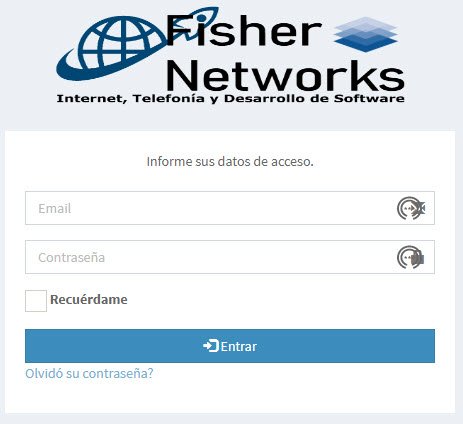
Your username is your email

The one you left registered with us when you signed up for the service.

Change your password

The first time, the system will ask you to set a new password. Choose one you don't use anywhere else.

Done, you're in

From there you can see receipts, pay and open tickets whenever you need.

I don't remember which email I registered with

Write to us on WhatsApp at 442 138 8102, send an email to soporte@fishernetworks.net or use the contact form. With your name and address we will find it.

The app asks me to update or won't open

Download the latest version again from the button on this page or from the Play Store. If it still won't open, tell us what phone model you have and we'll look into it.

Does the app use a lot of data?

No. It only fetches text and light documents, so you can use it on mobile data without worrying.

Need help signing in?

We walk you through it on WhatsApp while you do it, step by step.

View plans